Scaling the MVP into a Partnership and Adoption growth Internal SaaS Powerhouse
UX Design
UI Design
Research
Interviews
design system
Strategic Partnership Growth
Internal User Adoption Increase
Accelerated Executive Buy-In
DASH began as an engineering "pet project" built to help technical teams demonstrate capabilities to our IT clients. While functional under the hood, the UX/UI was fractured, cobbled together, and reliant on static PowerPoint presentations at times for client delivery.
I led the Product Design for Version 2.0, I started with a complete experience architecture overhaul. I began mapping the legacy infrastructure in order to introduce a component-backed React design system advocated for by engineering. This evolution would balance rigorous technical constraints with business urgency, as the timeline was tight.
Tension Point
Engineering teams can struggle to implement new design systems:
design decision
Prioritized reducing the feeling of duplicating work for team:
the trade-off
Adhering to legacy naming conventions and structures:
Lead UX and UI Design
User Flows, User Research, User Interviews, User Interface Design, Design System Creation
Software Engineers, Software Architects, Business Stakeholder, Graphic Designers, User Researcher, Project Manager, Division Leadership, Executive Leadership, Subject Matter Experts, Partner Evangelists
1.5 years, project is ongoing
To preserve the established backend infrastructure, I led my team in conducting a comprehensive audit of Version 1.0. We mapped out every existing page, link, and data object to create a visual source of truth for the legacy Information Architecture (IA).
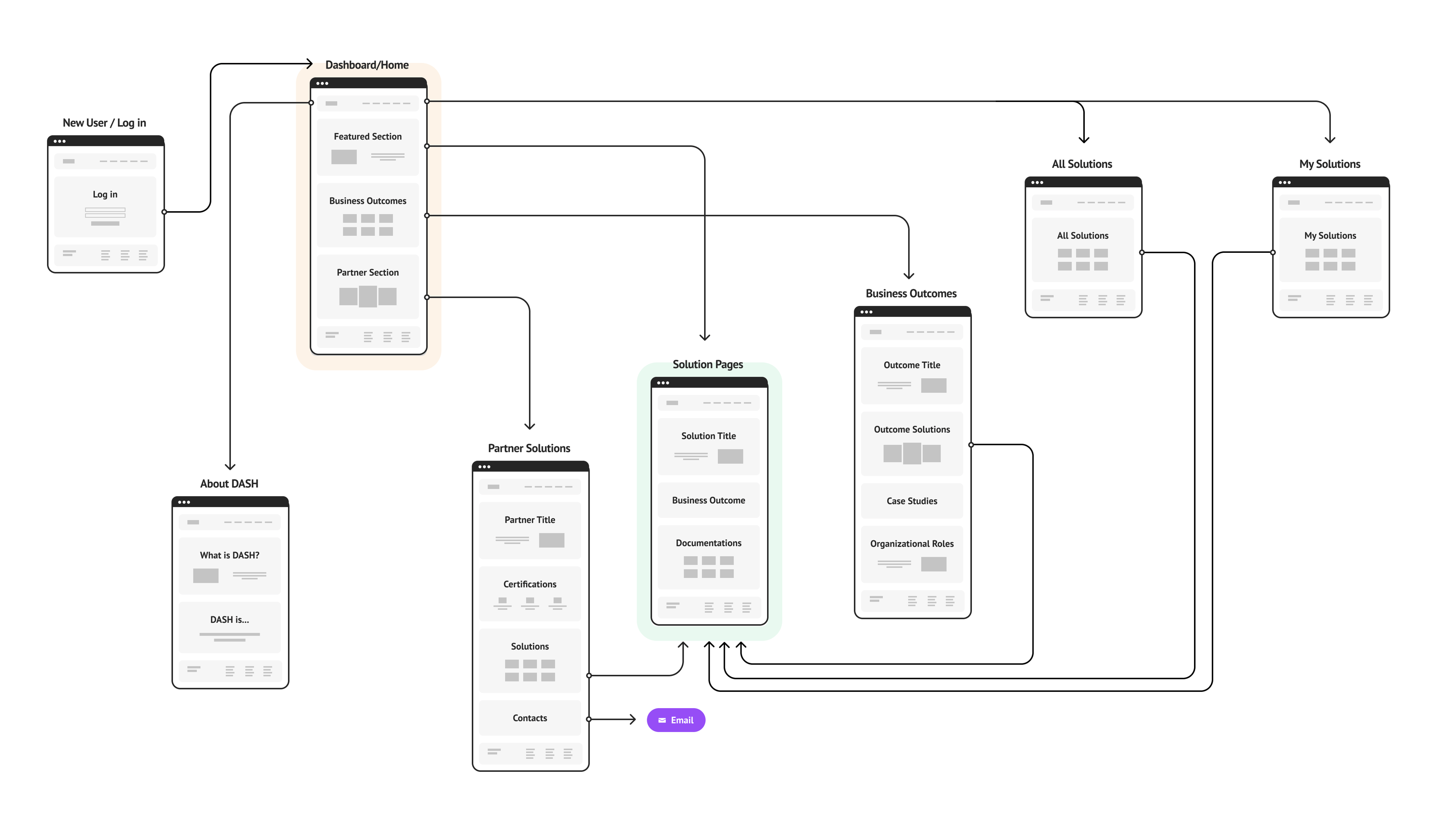
This allowed us to evolve the IA into a more robust interactive platform to serve multiple users, and scale company-wide.
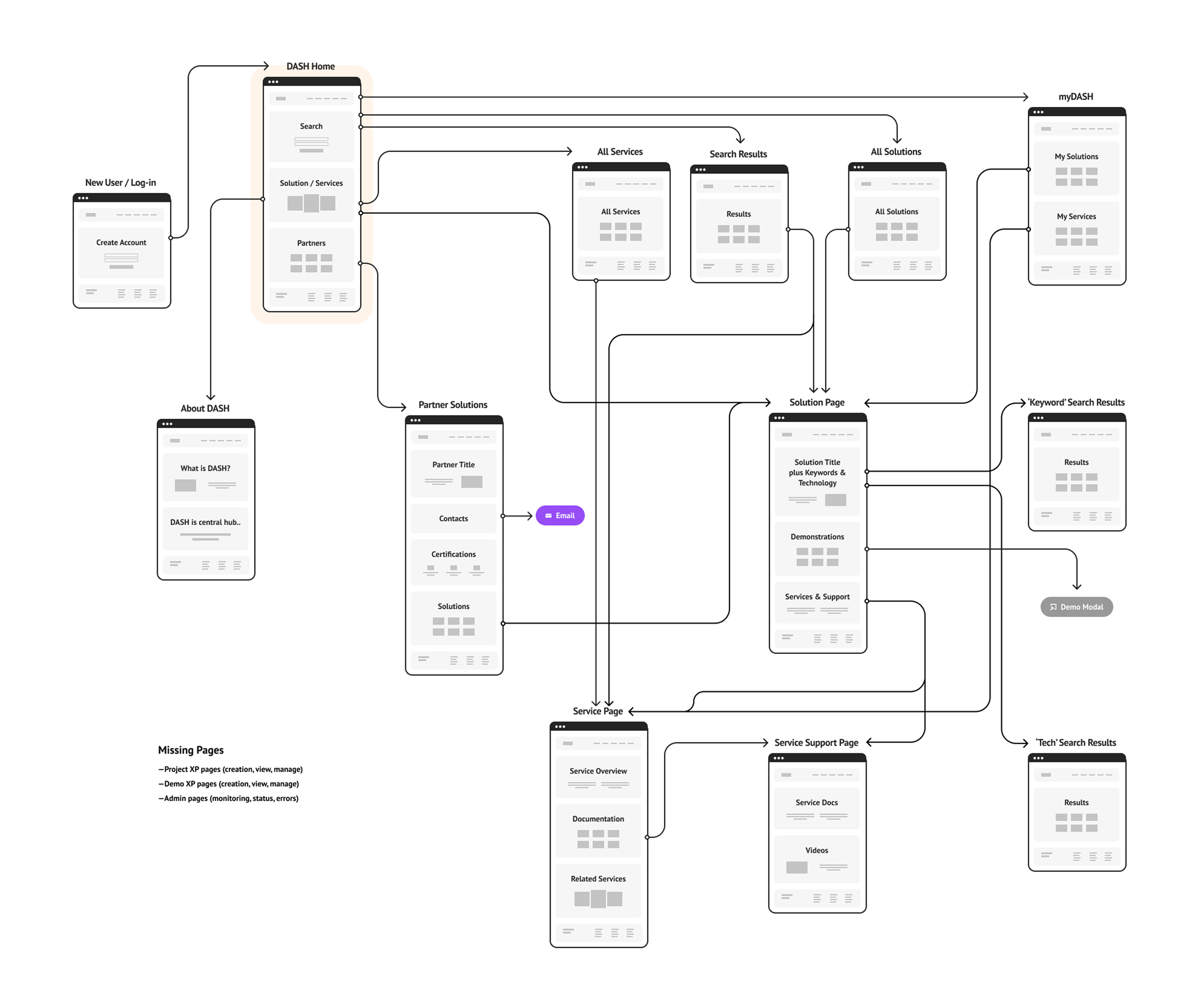
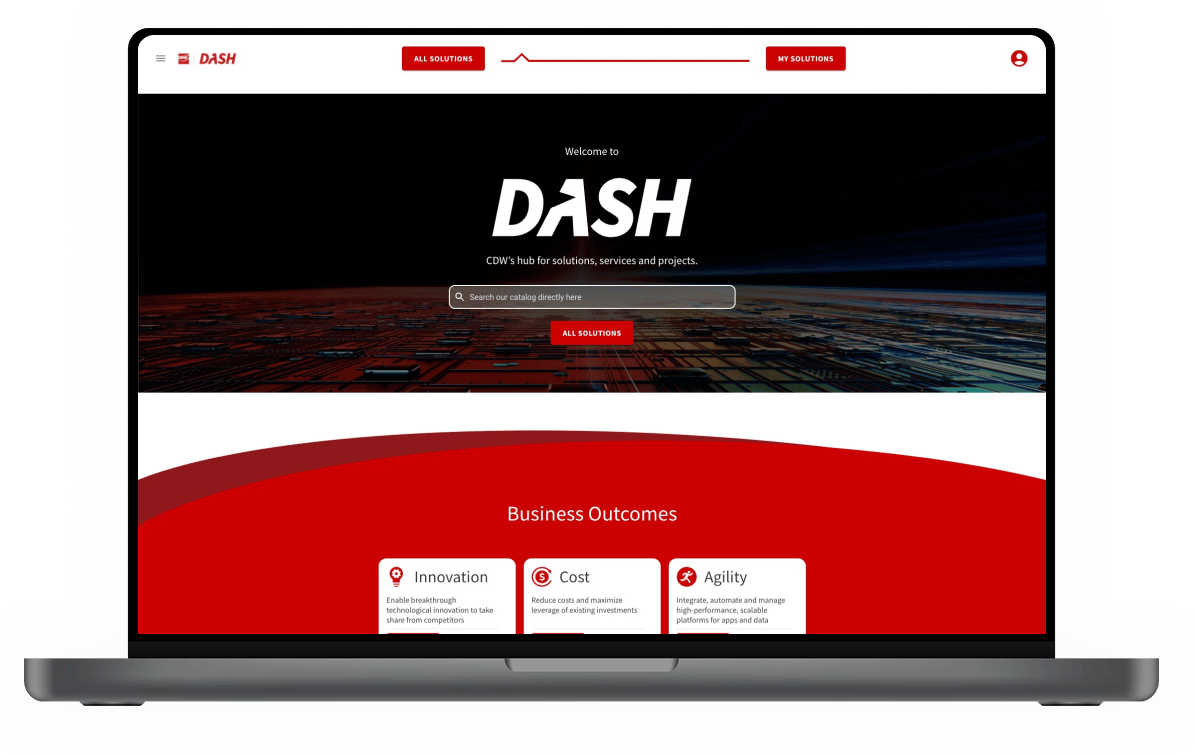
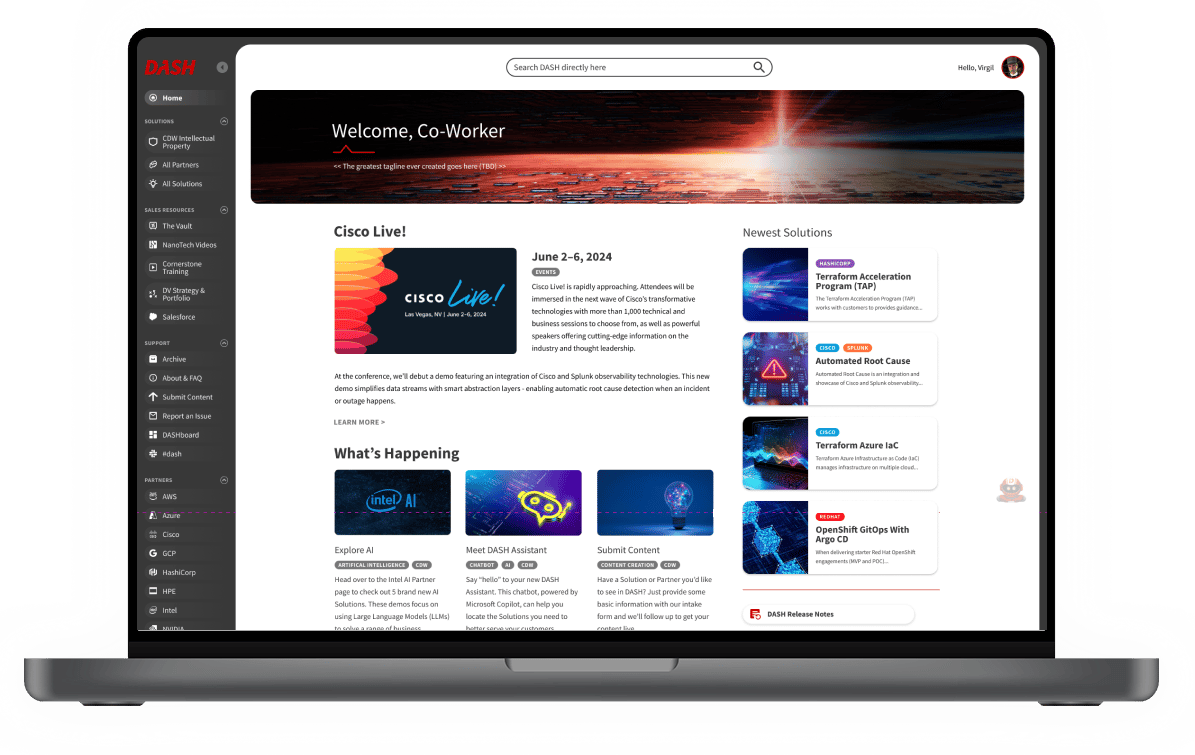
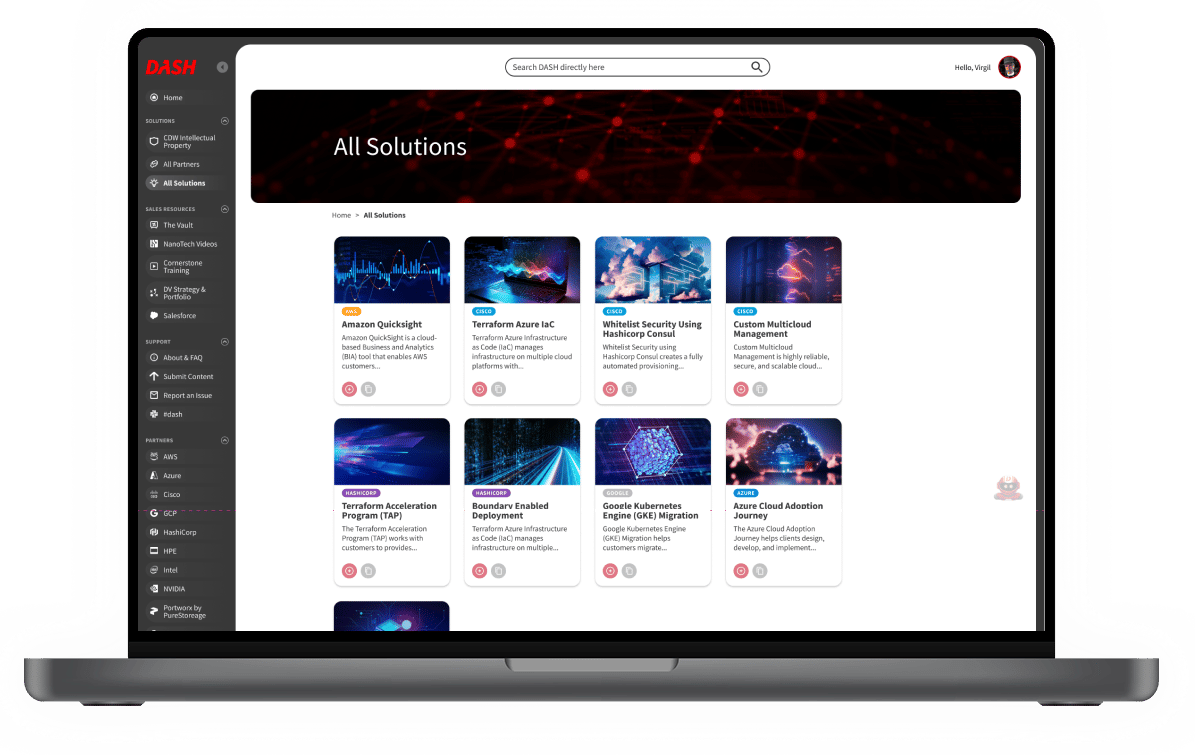
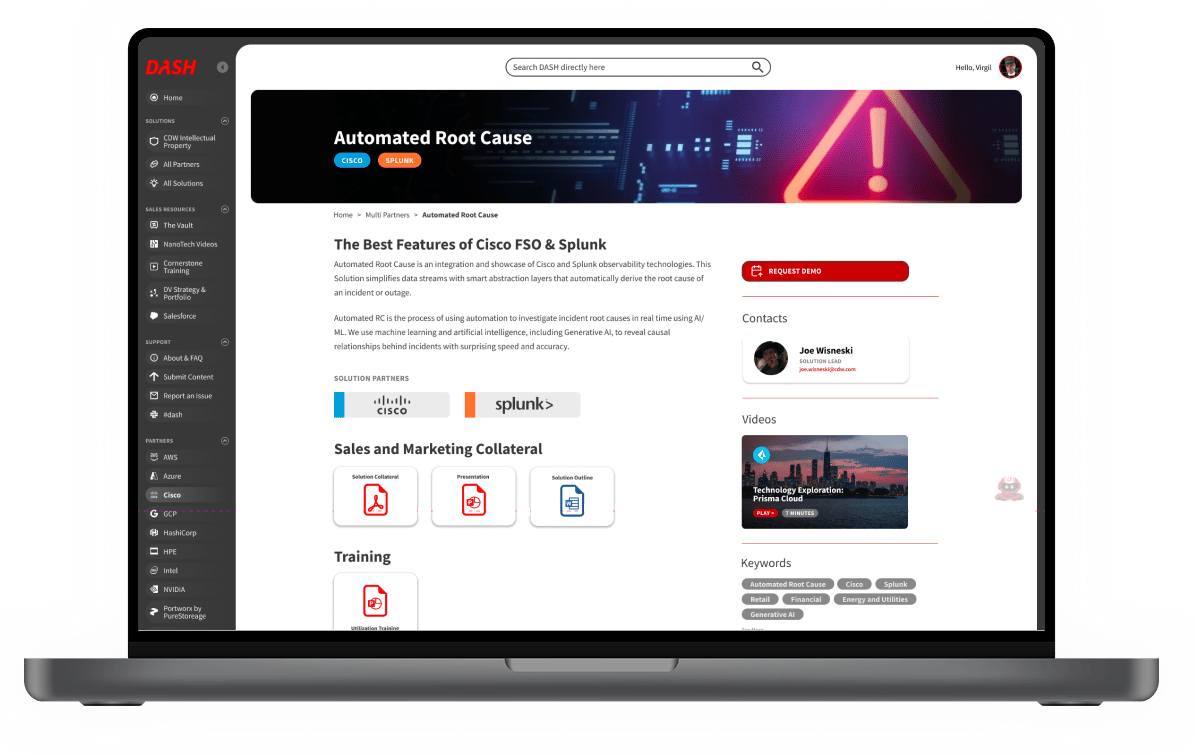
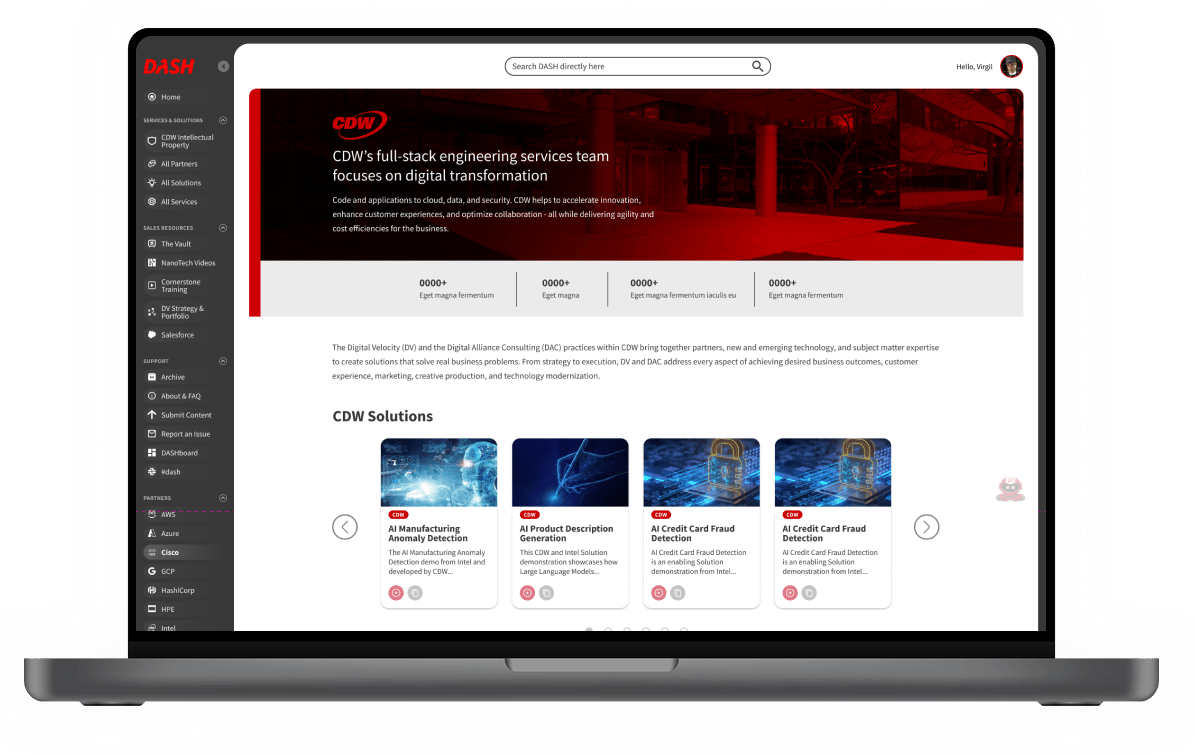
The original interface looked like a standard marketing website. Sales and engineering needed a dynamic workspace. We evolved the visuals into a high-density, dashboard-driven application aesthetic, optimizing user flows so sales teams could customize a client-facing technology demo in seconds.
-- Website Version --
-- Redesigned SaaS Version --
To ensure smooth engineering implementation, I established a comprehensive design system built in lockstep with the front-end team. Components were engineered to match React development specs, standardizing
Things I learned throughout this process.
