Driving a 37% Reduction in Support Calls via Self-Service Mobile Architecture
UX Design
UI Design
Research
Interviews
ai analysis
user testing
Drop in Support Calls to Call Center
App Adoption Rate for Current Members
New Marketing Infrastructure
Club Car Wash members lacked a digital self-service portal to manage their subscription plans, update payment methods, or modify vehicle accounts. This absence of user autonomy forced customers to rely heavily on phone support, creating an expensive operational bottleneck for the business and a high-friction experience for users.
Brought in to architect the 0-to-1 mobile application product journey, I designed a task-first, cross-platform aligned mobile ecosystem. By moving administrative burdens from support agents to an intuitive mobile interface, the application secured a 60% adoption rate and achieved a 37% drop in call center inquiries within its initial rollout window
Tension Point
Reliance on manual support for membership management:
design decision
Prioritized Self-Service Architecture:
the trade-off
High-touch personalization:
Lead Product Designer / UX Architect
Customer Flows, Wireframing, Prototyping, User Research, User Interviews, User Interface Design, Design System Creation, ServiceNow Integration
Software Engineers, Solution Architects, Business Process Consultants, Graphic Designers, User Researcher, Engagement Manager, Internal Leadership, Subject Matter Experts, Client CEO, Client CMO, Client Marketing/Design Team
UX: 4 months 0 to Launch: 8 months
B2C Subscription Systems, Operations Cost-Reduction, Mobile Ecosystems
I initiated user research and competitive feature audits to define the exact hierarchy of a subscription account. This led to a prioritized, high-density task list focused entirely on reducing friction
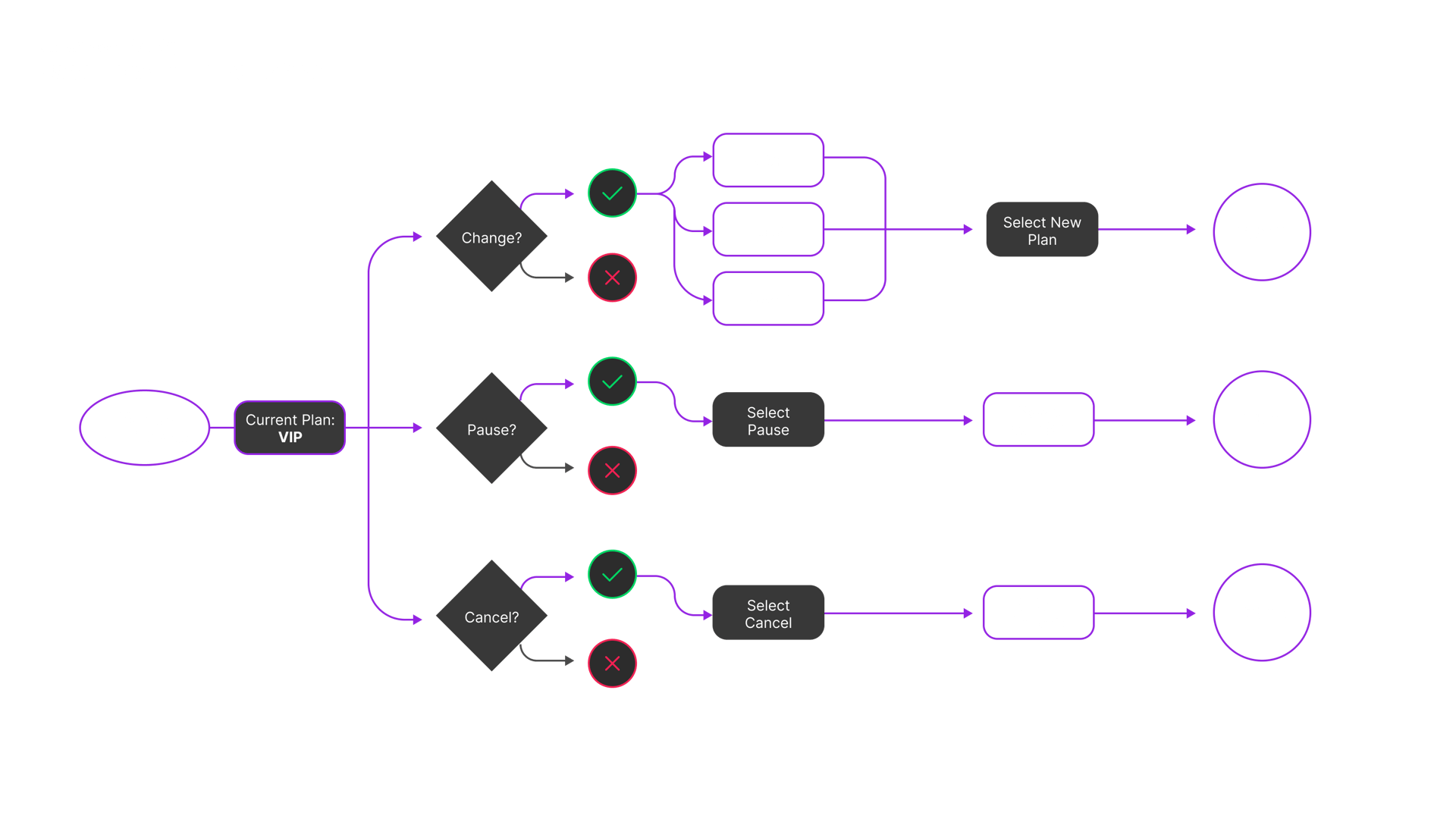
To align our multidisciplinary team (UX, Development, and Business Strategy), I mapped out linear user flows and presented them to all stakeholders.
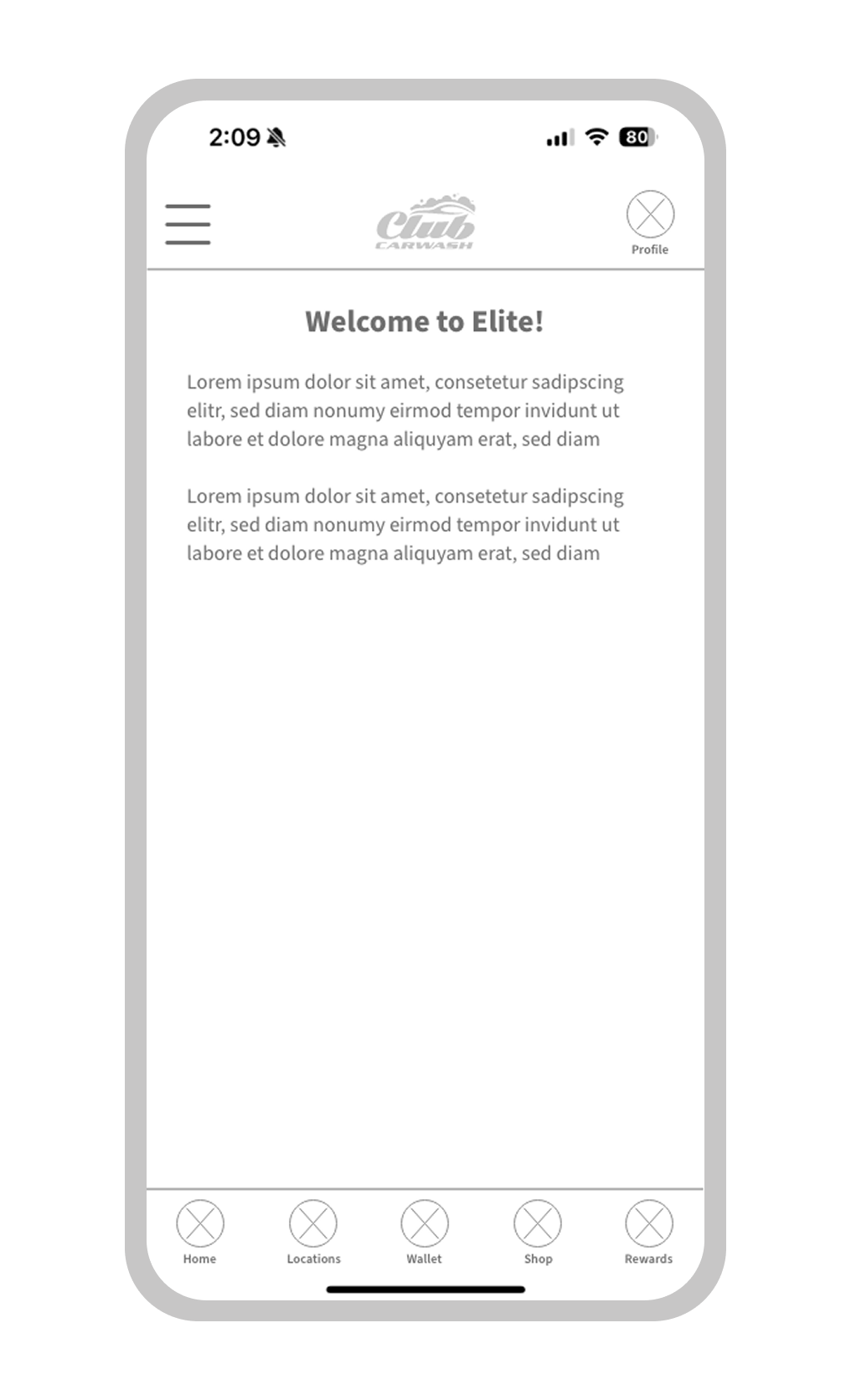
Then I built 0-to-1 interactive wireframes for the core "Manage Membership" track, validating the technical feasibility of backend subscription changes in real time before applying visual design.
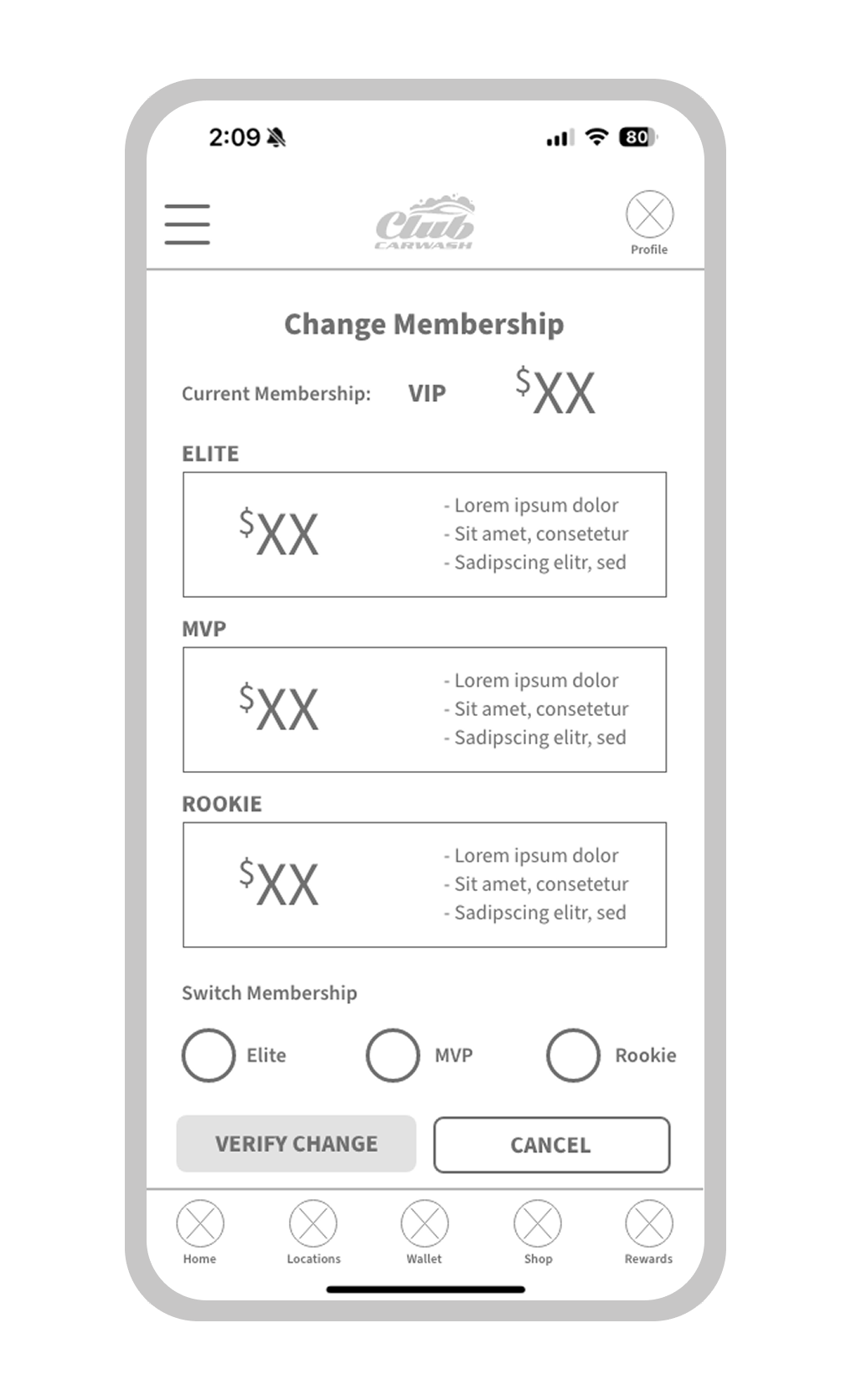
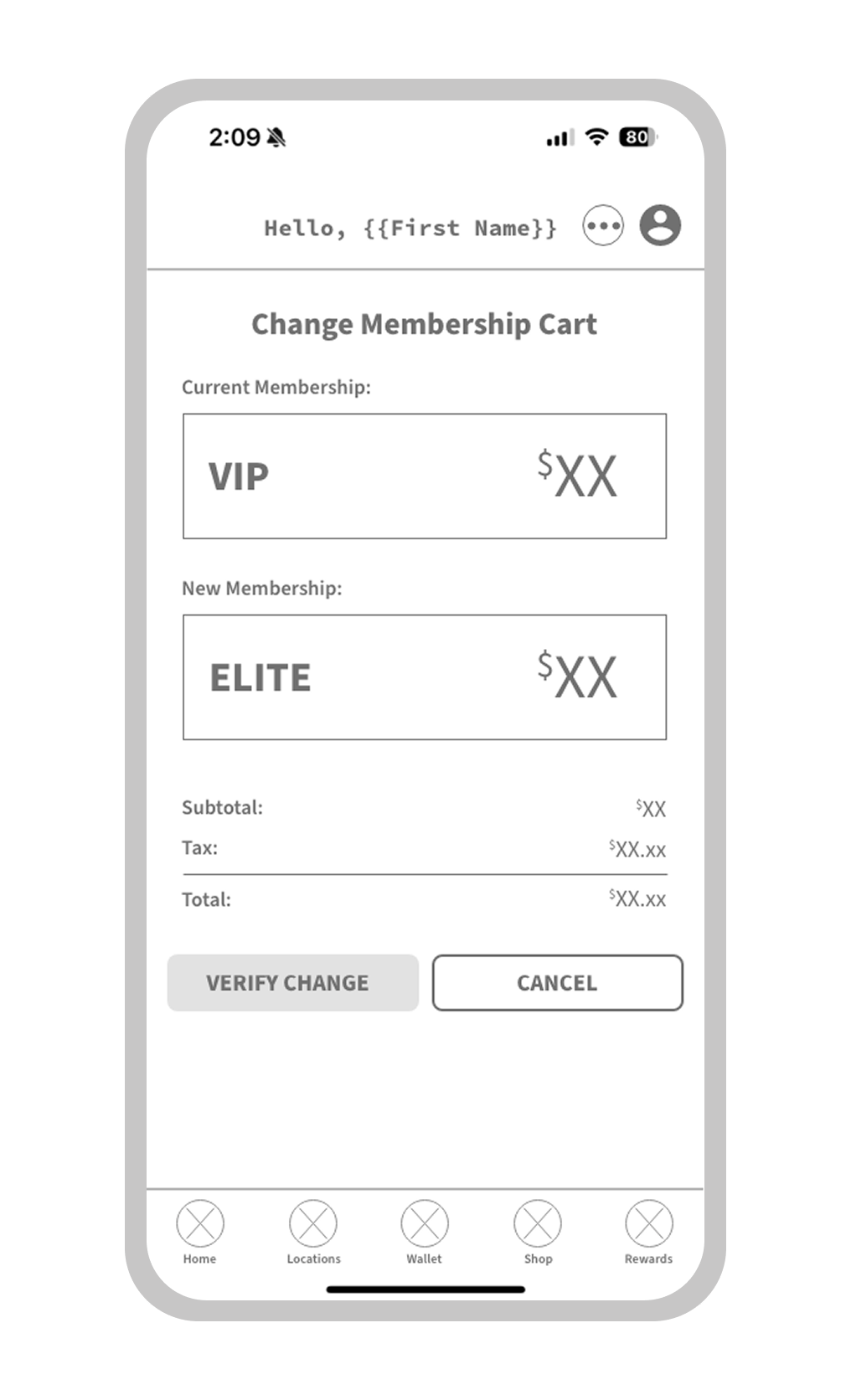
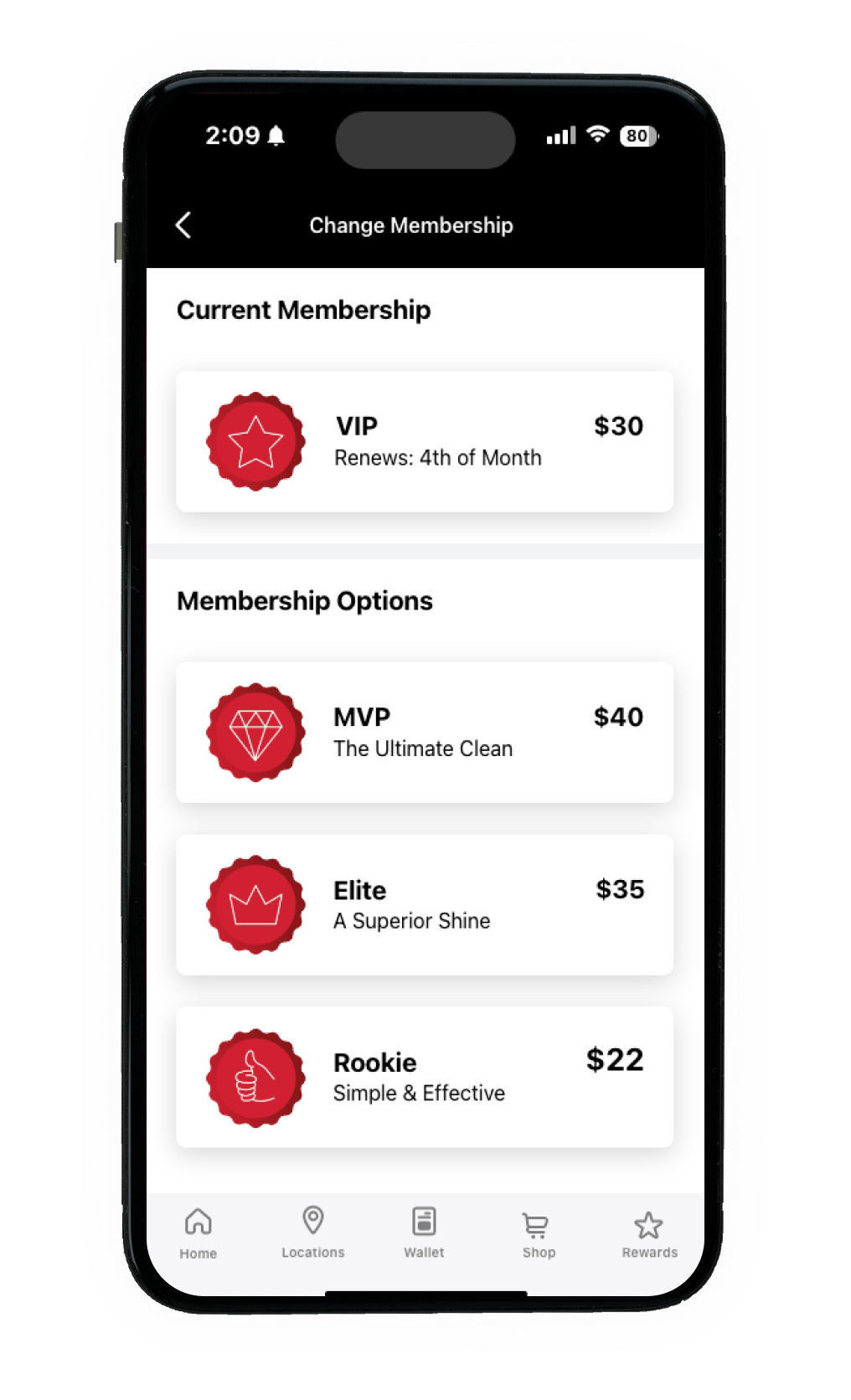
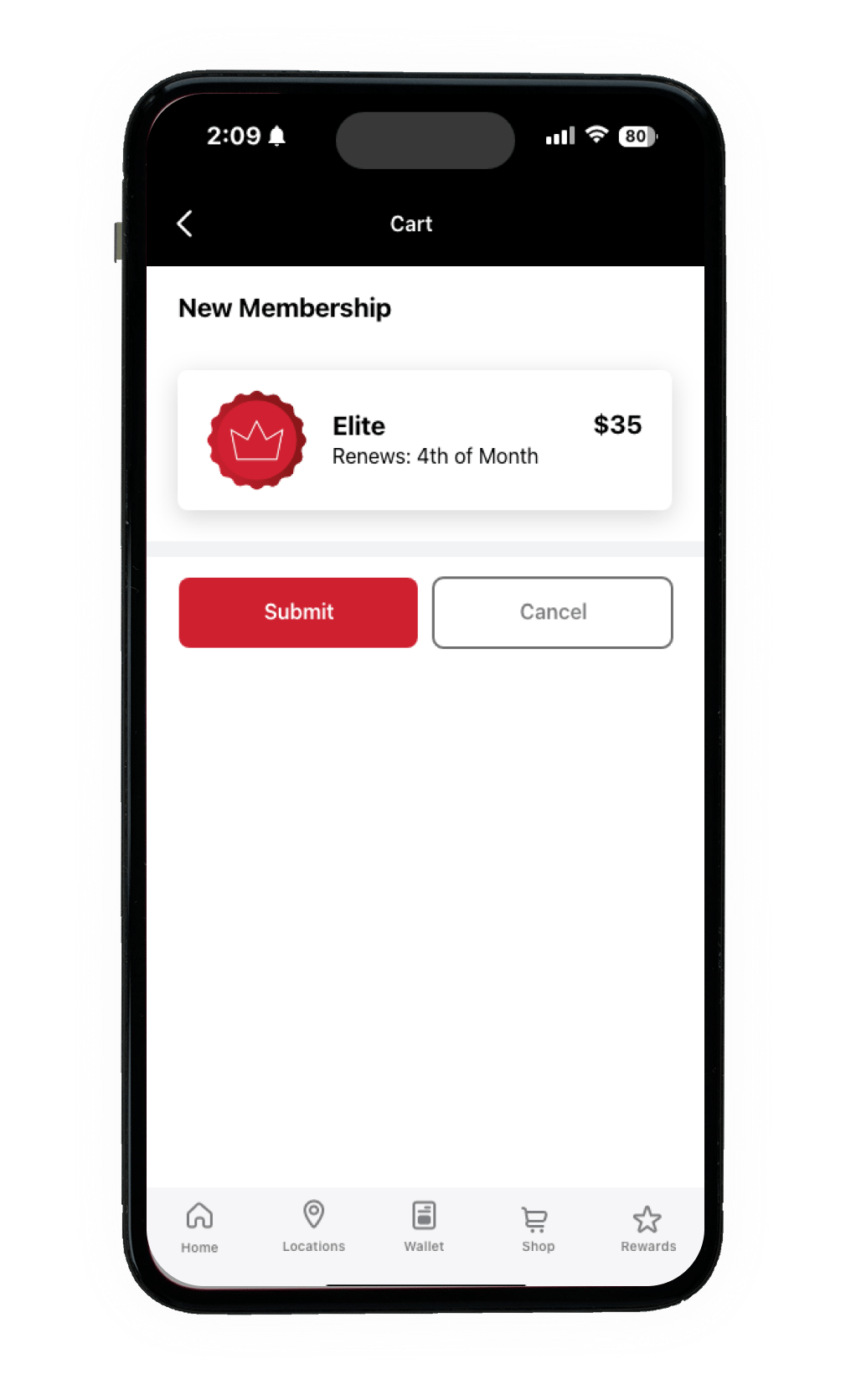
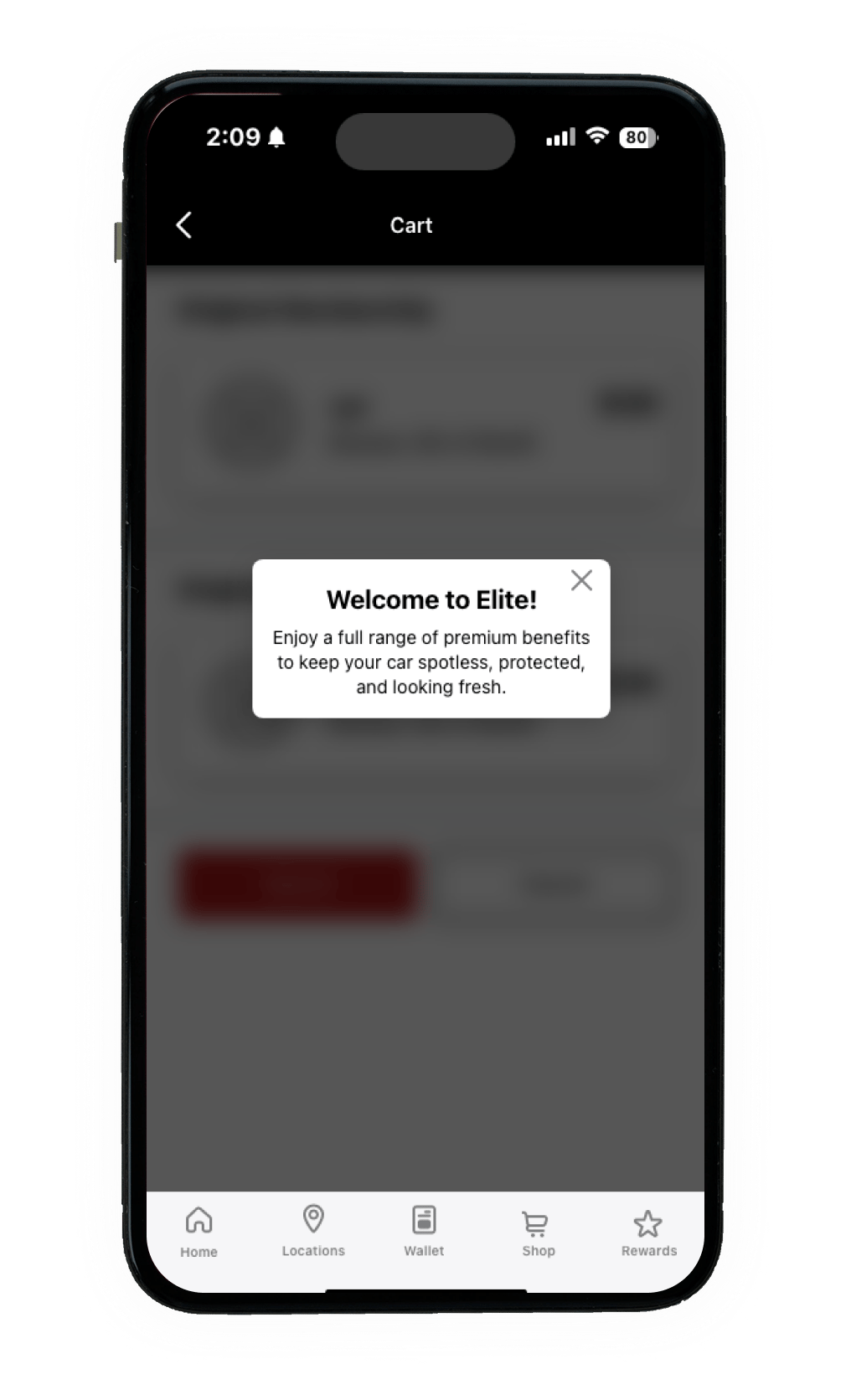
Moving beyond standard, generic UI frameworks, I custom-designed high-fidelity screens optimized for quick, glare-resistant tap targets (ideal for outdoor use cases).
I collaborated directly with the ServiceNow development team to ensure the visual modernization was fully backed by their scalable component system. I made design changes based on limitations of the ServiceNow platform that was in place at the time.
Things I learned throughout this process.
